
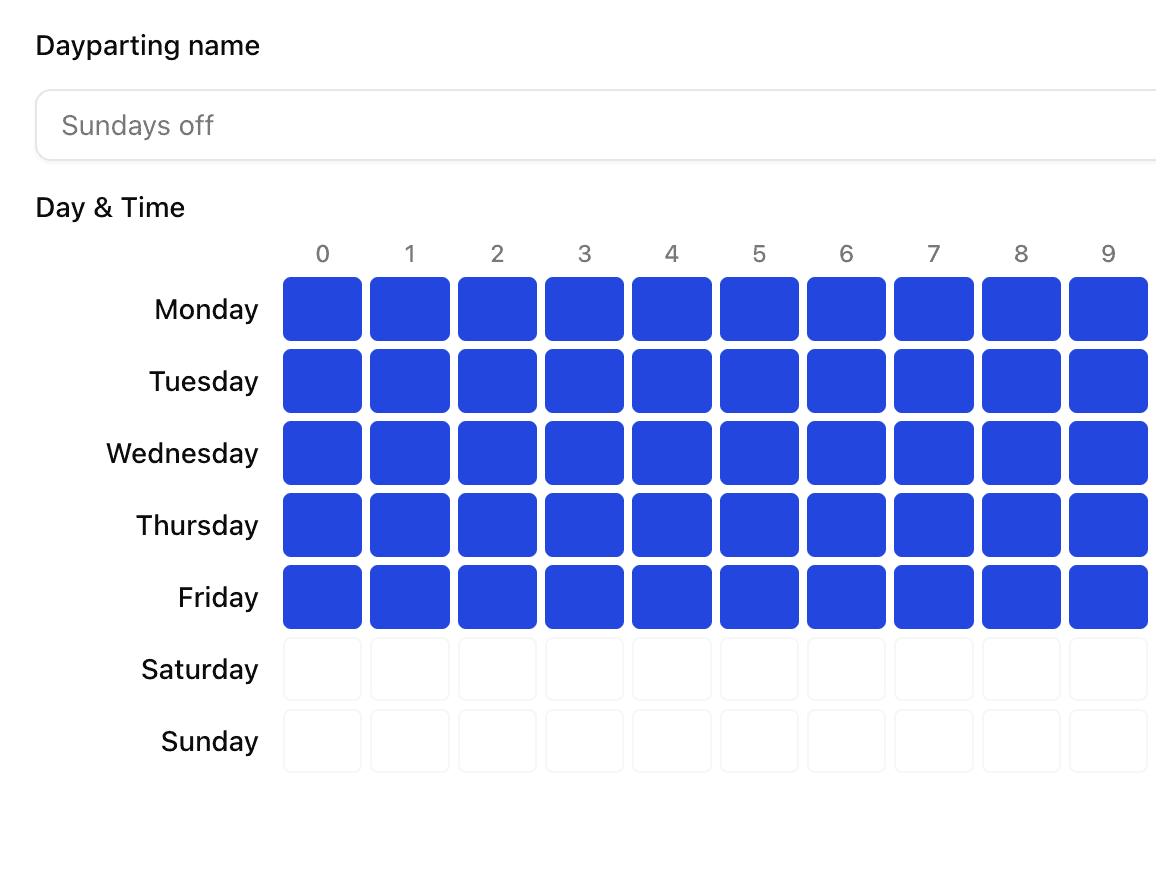
Many Bol advertisers are still running their campaigns 24/7.
Automatically. Without thinking.
And most importantly: without considering when people actually want to buy something.
Enter: Dayparting for Bol.
What is Dayparting (for Bol)?
Dayparting is nothing more than:
turning your Bol Ads on and off by the hour — based on real performance.
So:
is your target audience underperforming in the evenings? → off
do they mainly buy around lunch? → advertise more intensely
are the nights just a click wasteland? → turn off
Then, you only pay for clicks at times when people
actually intend to buy something.
It's simple, yet extremely effective.
Especially on Bol, where purchasing intent can vary greatly by the hour.
“But don't you only pay when someone clicks?”
Correct.
But let's finish the thought:
👉 you only pay for clicks
👉 but if no one buys, you're still paying for nothing
During bad hours:
click intent is low
people barely buy
CPCs are often higher
your ACOS rises without you noticing
So yes, you pay per click.
But you also pay per wrong click.
Dayparting ensures you simply don't receive those clicks anymore.
Why Dayparting works well for Bol
On Bol, you see much clearer hourly patterns than on, for example, Google or Meta.
Because people really do “shop for a moment.”
And that happens at fixed times.
Mornings = browsing
Afternoon = comparing
Evening = buying
Night = wasted spending
By reading those hours correctly, you can literally halve your ACOS.
Without extra budget.
Just by turning off the stupid hours.
The Two Phases of Dayparting for Bol
Phase 1 — On/off by hour
You turn off your campaigns at all the hours where the data says:
“no one buys here.”
For example:
07:00–09:00 → low intent
23:00–02:00 → many clicks, few sales
03:00–07:00 → just off, always
This often removes already 15–30% waste from your account.
Phase 2 — Adjust bids per hour
This is where you really gain ground.
Hours that convert well → bids up
Hours with low intent → down
Hours with expensive clicks and low ROI → off
This feeds your budget into the right hours,
and prevents it from leaking into hours with poor performance.
How do you analyze the right hours? (most make mistakes here)
Dayparting only works if you take data seriously.
This is how it works:
1. Collect at least 14 days of data
Not one day, not three days.
You want to see patterns.
2. Analyze by the hour
Look at:
clicks
sales
ACOS
CPCs
total spending
cost per sale
Only clicks? Incomplete.
Only ACOS? Misleading.
Everything together? Pattern.
3. Turn off dead hours
Hours with:
many clicks
no sales
the same pattern repeating
→ off
Unforgivingly.
4. Dominate peak hours
Hours where you print margin?
→ bids up
→ more visibility
→ more sales
This is how we automate Dayparting for Bol
No one is going to optimize manually 24/7.
That's craziness.
That's why we automate it:
we analyze every hour
recognize patterns
turn off bad hours
increase bids during strong hours
link everything to your ACOS target
adapt every 7–14 days with new data
Your campaigns get smarter,
while you don't have to worry at all.
What Dayparting brings you (especially on Bol)
Lower ACOS
Higher profit
Less waste
More stable performance
Scalability without stress
In many Bol accounts, dayparting is the difference between:
❌ ACOS 35%
and
✅ ACOS 20–25%
Without more budget.
Just better timing.
Bottom line
Stop advertising 24/7 on Bol.
No one buys 24/7.
So why should you pay 24/7?
Dayparting makes your ads smarter, more profitable, and less hectic.
And combined with automation, it works without hassle.


